Personalised Travel Alerts
11 months ago
We’re excited to announce that Personalised Travel Alerts will be available in the East Yorkshire Buses app from Monday, 20th October! Get ready now — download the app, turn on Personalised Travel Alerts, and add your favourite timetables and stops to make sure you never miss an update on your journeys!
This new feature makes it easier than ever to stay informed about your journeys. With travel alert push notifications, you’ll be notified if there are any disruptions or changes affecting the routes and stops you’ve favourited.
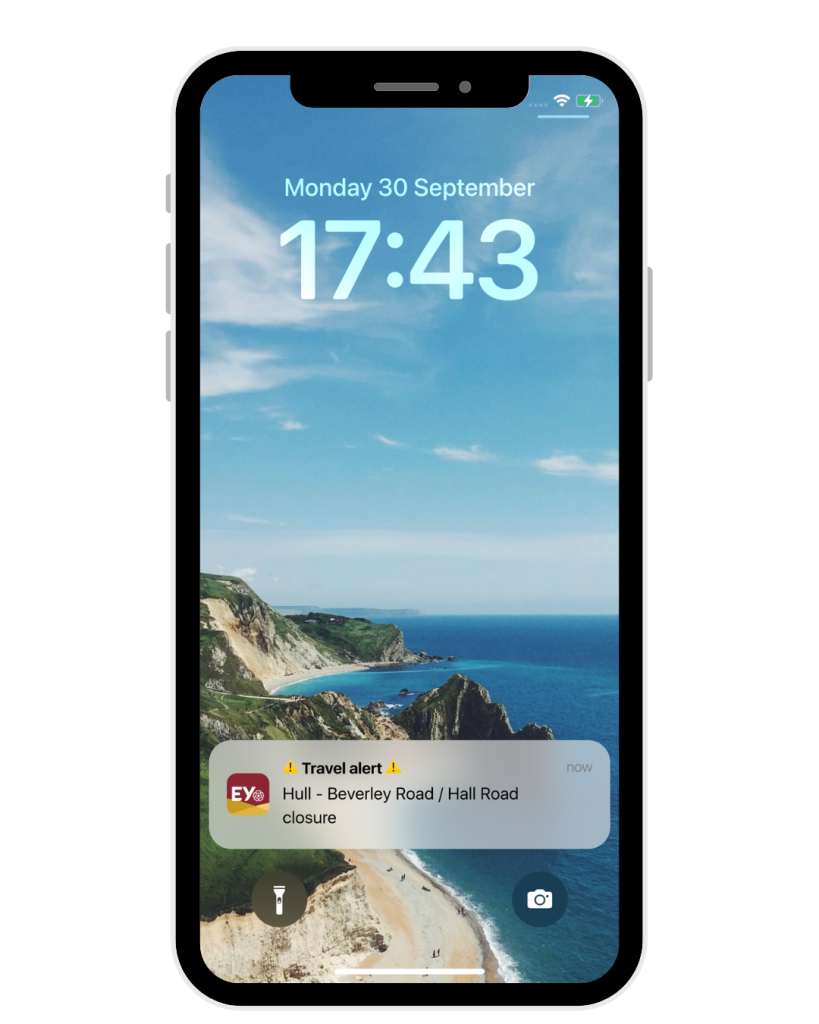
Stay updated, without the noise
You’ll only receive alerts for the routes and stops you care about. For example, if you’ve added Service 53 to your favourites, you won’t get notifications about other routes, just timely updates that are relevant to your travels.
Notifications straight to your phone
Alerts are delivered as push notifications, meaning they’ll pop up on your phone just like a message.
You're in control
Don’t want alerts right now? No problem. You can turn them on or off at any time in the app menu.
How to start using Personalised Travel Alerts
- Make sure you’ve downloaded the latest version of the East Yorkshire Buses app.
- Favourite your regular routes or stops.
- Enable notifications in your phone settings and within the app menu.
- That’s it — you’ll now be notified if something changes that affects your saved routes.
FAQ’s
How do I turn Personalised Travel Alerts on or off in the app?
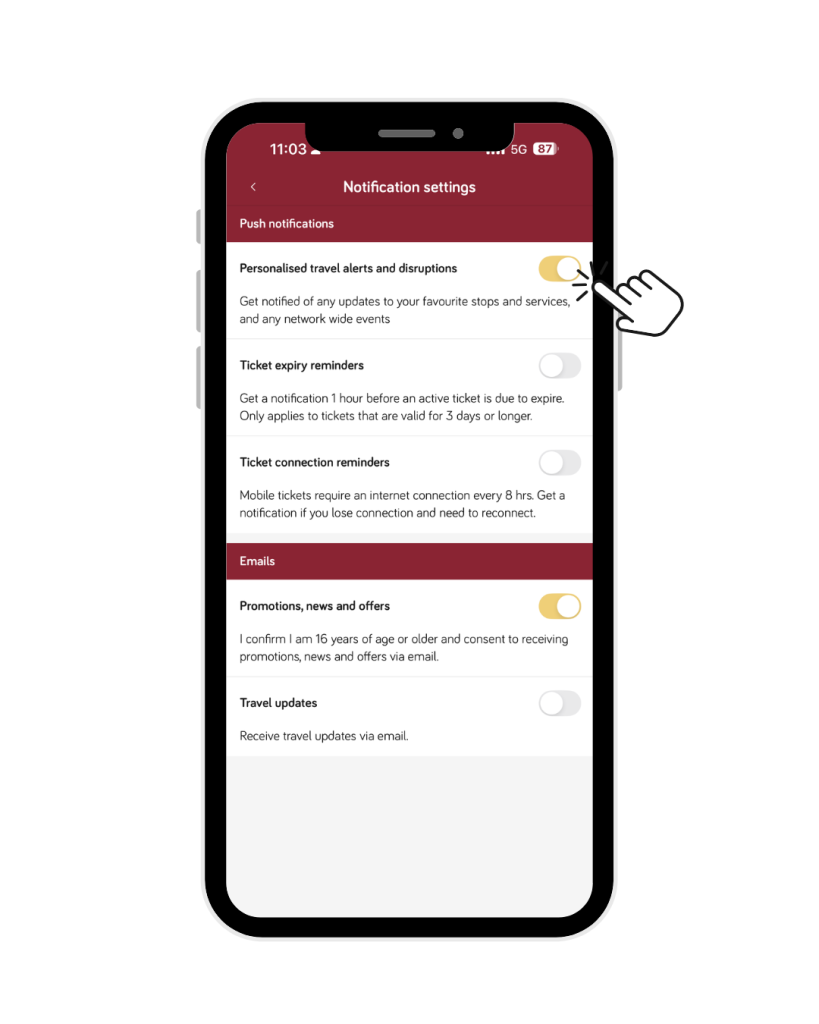
To start using personalised travel alerts, download the East Yorkshire Buses app, create an account, and make sure notifications are enabled. Then follow these steps:
- Open the app menu from the top left corner.
- Select 'Settings'.
- Under 'User Account,' go to 'Notification settings.'
- Press the toggle on 'Personalised travel alerts and disruptions' to turn on travel alert notifications.
How do I favourite a route or stop?
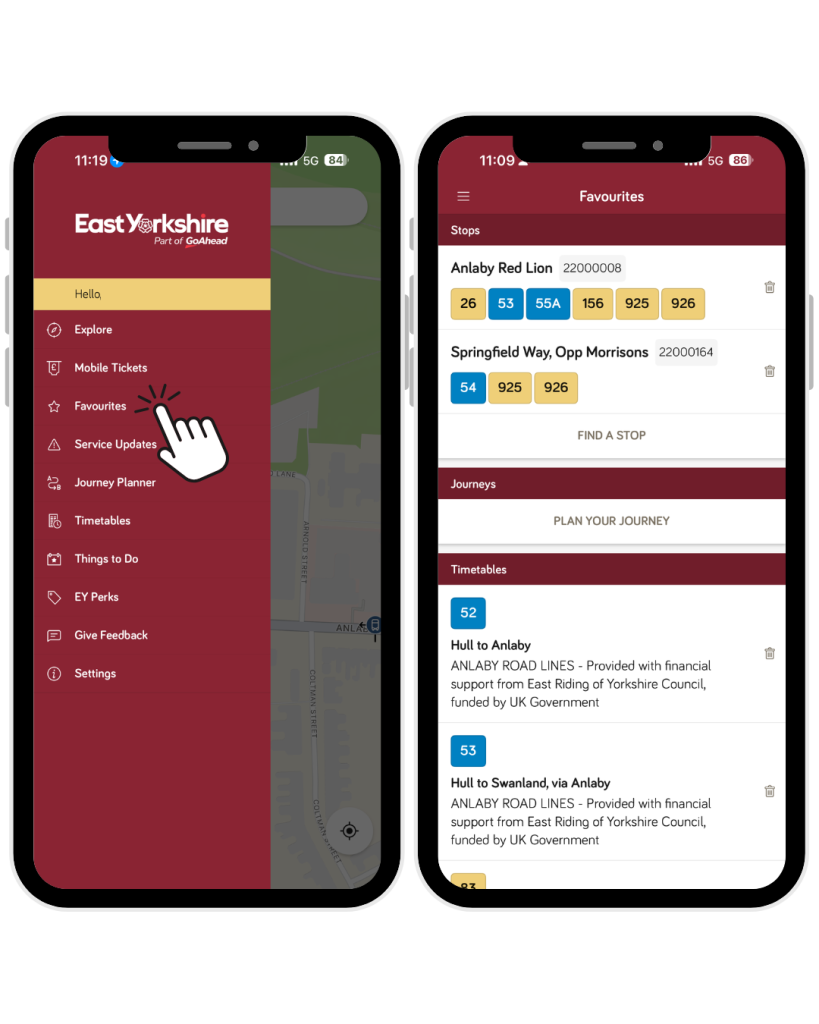
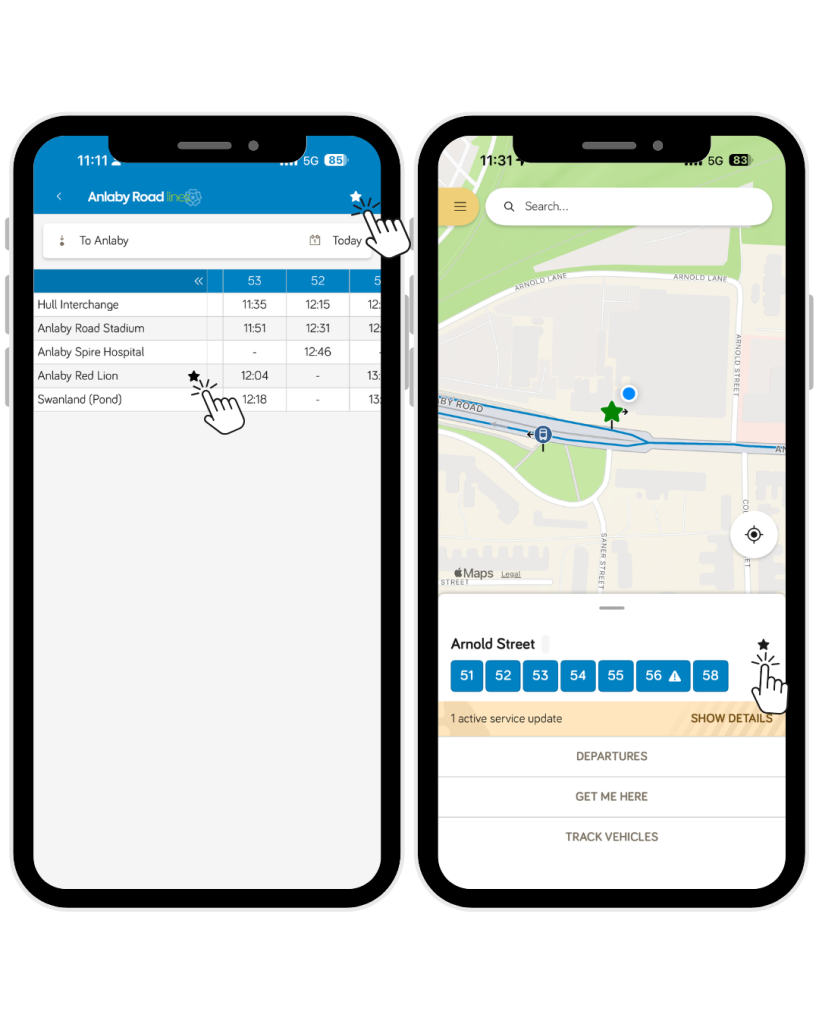
To favourite a route, open the timetable via the Timetables or Favourites menu. When viewing the timetable for your chosen service, tap the star icon in the top right corner of the screen.
To favourite a bus stop, you can either select the stop directly on the map and tap the star icon on the right-hand side, or open a timetable, choose a stop, and then tap the star icon to add it to your favourites.
Will I receive notifications for every route?
You will only receive notifications for the services or stops that you favourite.
Do I need an app account to start receiving notifications?
Yes, you'll need an app account to start receiving notifications. To create an app account, please click here to download our app.
Is this feature available on both Android and iOS?
Yes, the app is available for download on Google Play and the App Store